Hockey like chess: a tactics board for children
Look at moves at your own pace, move by move: a tactics board in the browser, with real rules for each age group.
Children’s field hockey is fast. If you are seven years old and in the middle of a game, you see the ball, but rarely the unmarked teammate. You explain a lot in training, and out on the pitch it is forgotten again. I wanted something that lets you look at moves at your own pace: move by move, like chess.
That became a tactics board in the browser. You line up two teams, plan a move (who runs where, who passes or shoots) and then see what happens.
Try it: hockey.ping.lu
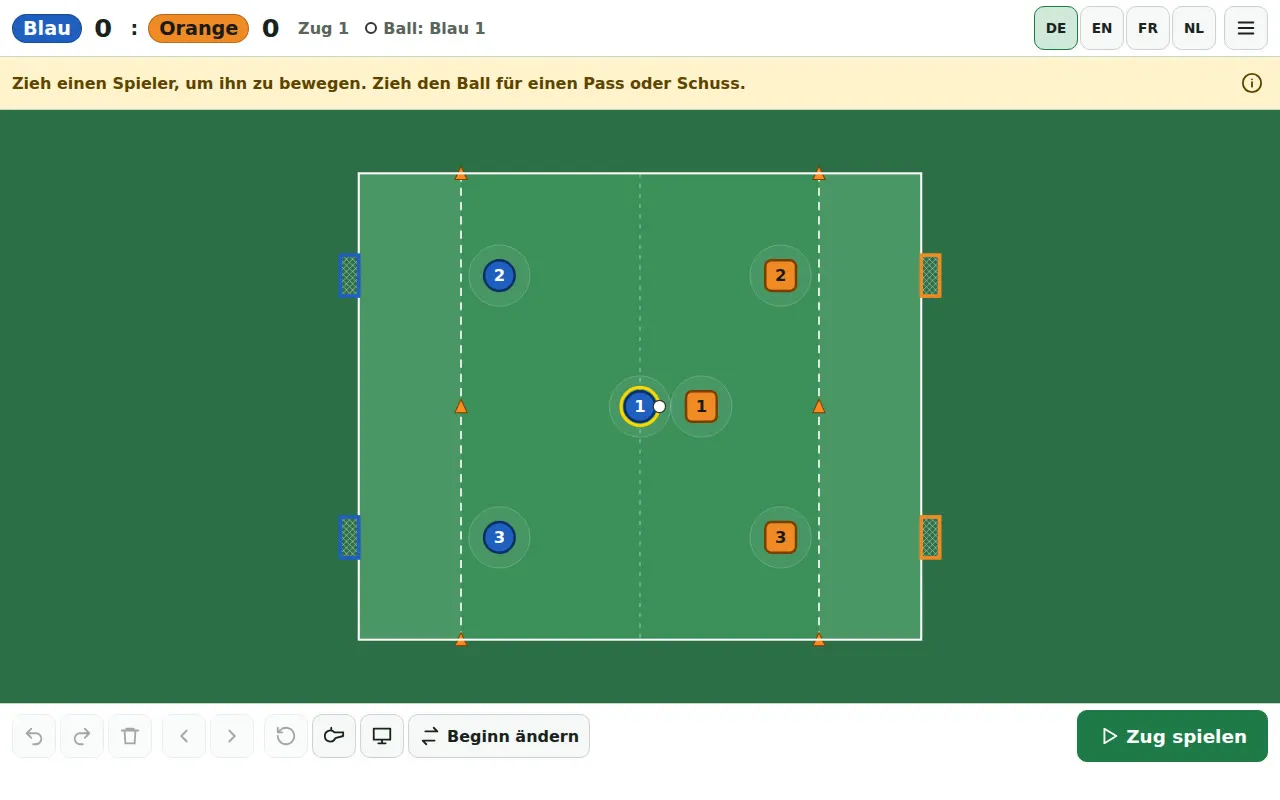
A new game under the Belgian U7/U8 rules: three against three, four small goals, the shooting zone marked with a dashed line.
What it can do
- Play move by move: drag players, aim passes and shots with direction and power; a preview shows where the ball will land. Tackles, intercepted passes, loose balls, goals and restarts follow the rules for the age group.
- Real rules for each age group: Hockey Belgium from U7/U8 to adults, and the Bavarian version of the Deutscher Hockey-Bund’s rules for children. Pitch size, goals, shooting zone, distances at free hits, goalkeeper, penalty corner: everything comes from the rulebooks, with sources.
- Rewind and try things out: every move can be undone; trying something different creates a new branch, and the old one is preserved. Replay at several speeds.
- A computer opponent, open (it shows its plan first) or hidden.
- Training puzzles like chess problems: “Here is the situation, here you are. What do you do? What should the team do?” Sometimes you tap one of three drawn options; sometimes you plan the move yourself on the pitch. Every puzzle has an explanation.
- Rules flashcards for players and coaches: a drawn image (a scene on the pitch, a pictogram or the umpire’s signal), a question, answers to tap, and below them the rule in its original wording with a source. For coaches, there is a presentation mode: large on the iPad in front of the team.
- Four languages (German, English, French, Dutch), on a phone in portrait and landscape, on a tablet, and it can be added to the home screen as an app.
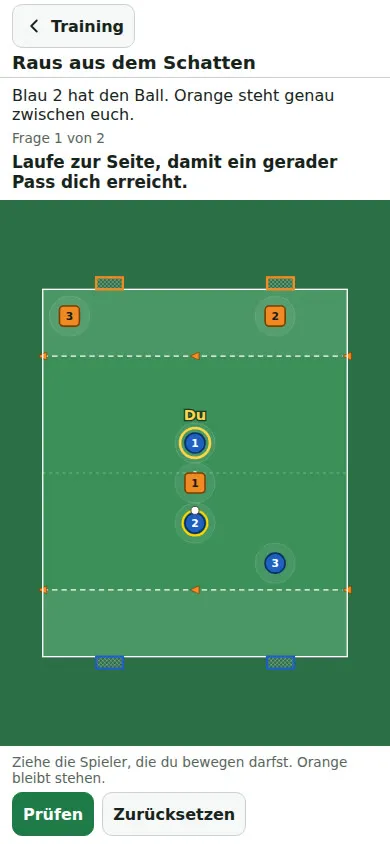
Training puzzle “Out of the shadow”: you drag yourself to a position where a straight pass can reach you.
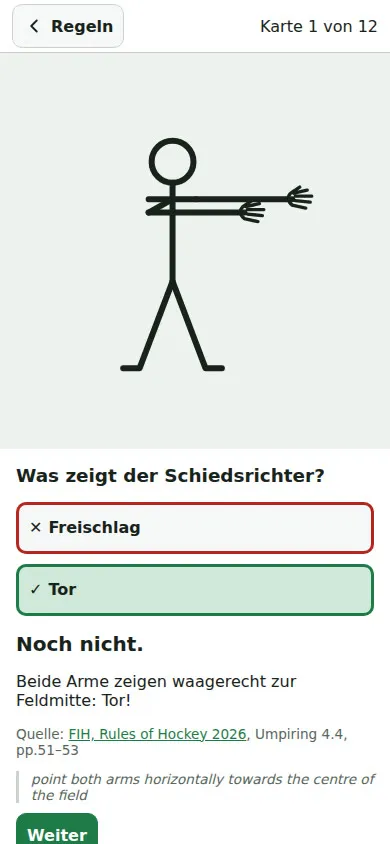
Flashcard for children: the umpire’s signal, the answer and below it the original rule with a source.
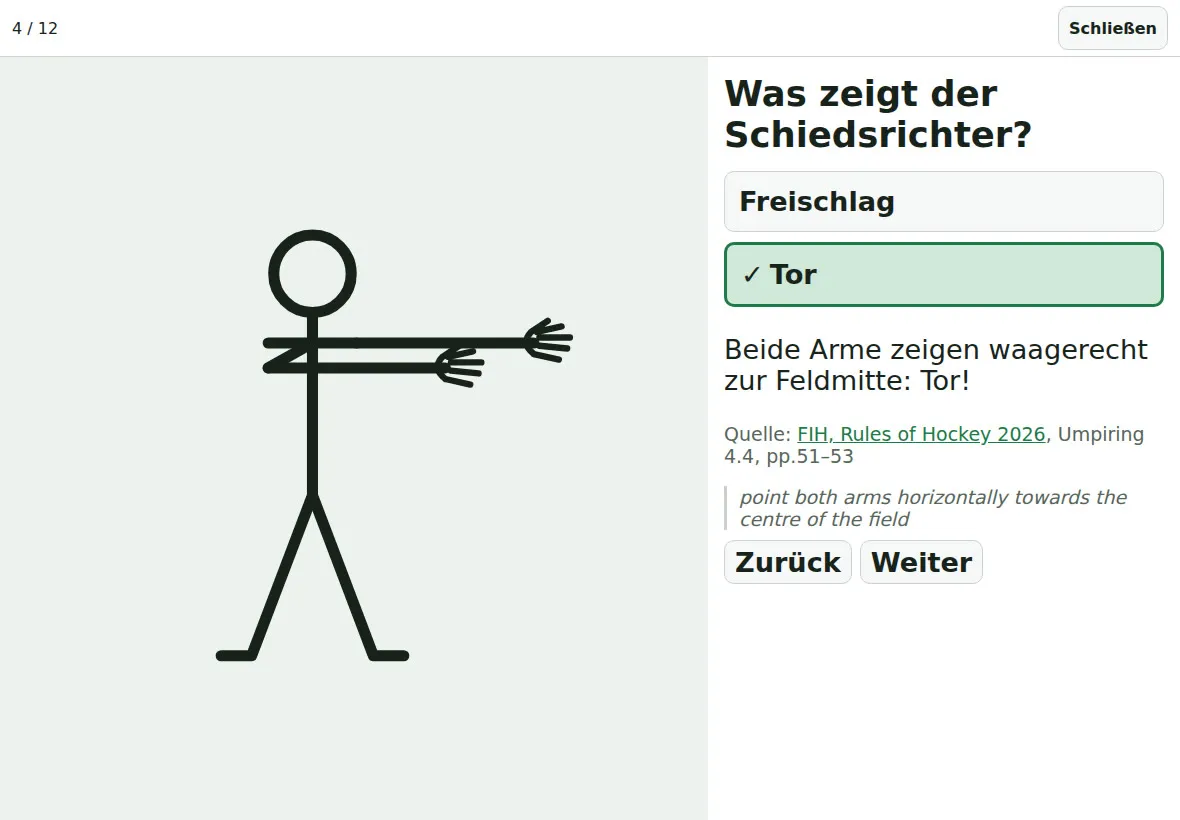
Presentation mode for coaches: large on the iPad, with the answer only shown at the press of a button.
How it works technically
- Only static files. No server, no account, no database. Games are stored in the browser (up to 50) and can be exported as a file and imported again.
- Rules are data, not code. Each age group is a JSON file with pitch dimensions, goals, zones, distances and restarts. A new age group is a new file, checked by a strict validator.
- A pure game engine: a move is a function from “position + plan” to “new position”, with no interface and no external randomness. Where chance plays a part (does the tackle succeed?), the dice roll is stored in the move so that a replay runs exactly the same way.
- The game is a tree, not a history: every branch is preserved.
- Around a thousand automated tests and a browser test that clicks through the game at four screen sizes.
- React and TypeScript, built with Vite; no other libraries.
An AI agent did the programming (Claude planned, Codex coded; here is how that works). I described what I wanted, answered questions, played and gave feedback, and had the rules researched along with their sources. The spec is now over 2,000 lines long, and it is where the real value lies: it records what has been decided and why.
Where to host it?
- No server? Cloudflare Pages. Free for a static app like this, with HTTPS and your own domain. Connect a GitHub repository, and every change is online a few minutes later.
- Several projects, less technical work? eigava.de. There, your own AI assistant builds the app, and eigava takes care of running it, updates and backups, hosted in Germany.
Example: instructions for an AI agent
Put it in an empty folder as INSTRUCTIONS.md and tell the agent: “Read INSTRUCTIONS.md and implement it.” Fill in the placeholders in <…> first.
# Brief: Tactics board for <sport> in the browser

Build a tactics board for playing through a <hockey> game move by move to explain moves
to children <aged 6 to 12> and their coaches.

## Scope

- Runs entirely in the browser as static files: no server, no account, no
  database. Saved in the browser; export and import as a file.
- Phone (portrait and landscape), tablet and computer. Touch controls: drag players,
  aim the ball.
- Languages: <German, English>.
- TypeScript, React, Vite. No further libraries without my approval.

## Rules

- Research the rules for the age groups <association, age groups> from the official
  documents. Every number (pitch dimensions, goals, zones, distances, player count) gets a source.
  Mark anything you cannot find as an open question; do not make anything up.
- Each age group is a JSON file. A strict validator rejects unknown fields
  and impossible values. A new age group must only need a new file.

## Game

- One move: each team plans runs, then a pass or shot with direction and power.
  The engine calculates the result: ball path, interception, tackle, loose ball, goal, out of play.
- The engine is pure (no interface, no hidden randomness). Random decisions
  are stored in the move so that replays run the same way.
- The game is a tree: undoing and trying again creates a branch.
- The human decides fouls through an umpire menu; the app does not detect them.

## Approach

1. First write a specification (docs/spec.md) with all the rules, decisions
   and open questions. Show it to me before you code.
2. Build in small steps, each step with tests (engine, rule files, saving).
3. Play through every new feature in a real browser, including at phone size, and
   send me screenshots.
4. Record decisions in docs/spec.md, not just in the chat.

## Later (not in the first step)

Computer opponent, training puzzles (“What do you do here?”), rules flashcards.

## Publishing

Cloudflare Pages with Git integration, build command npm run build, output folder dist.
Set security headers (Content-Security-Policy), no external scripts or fonts.